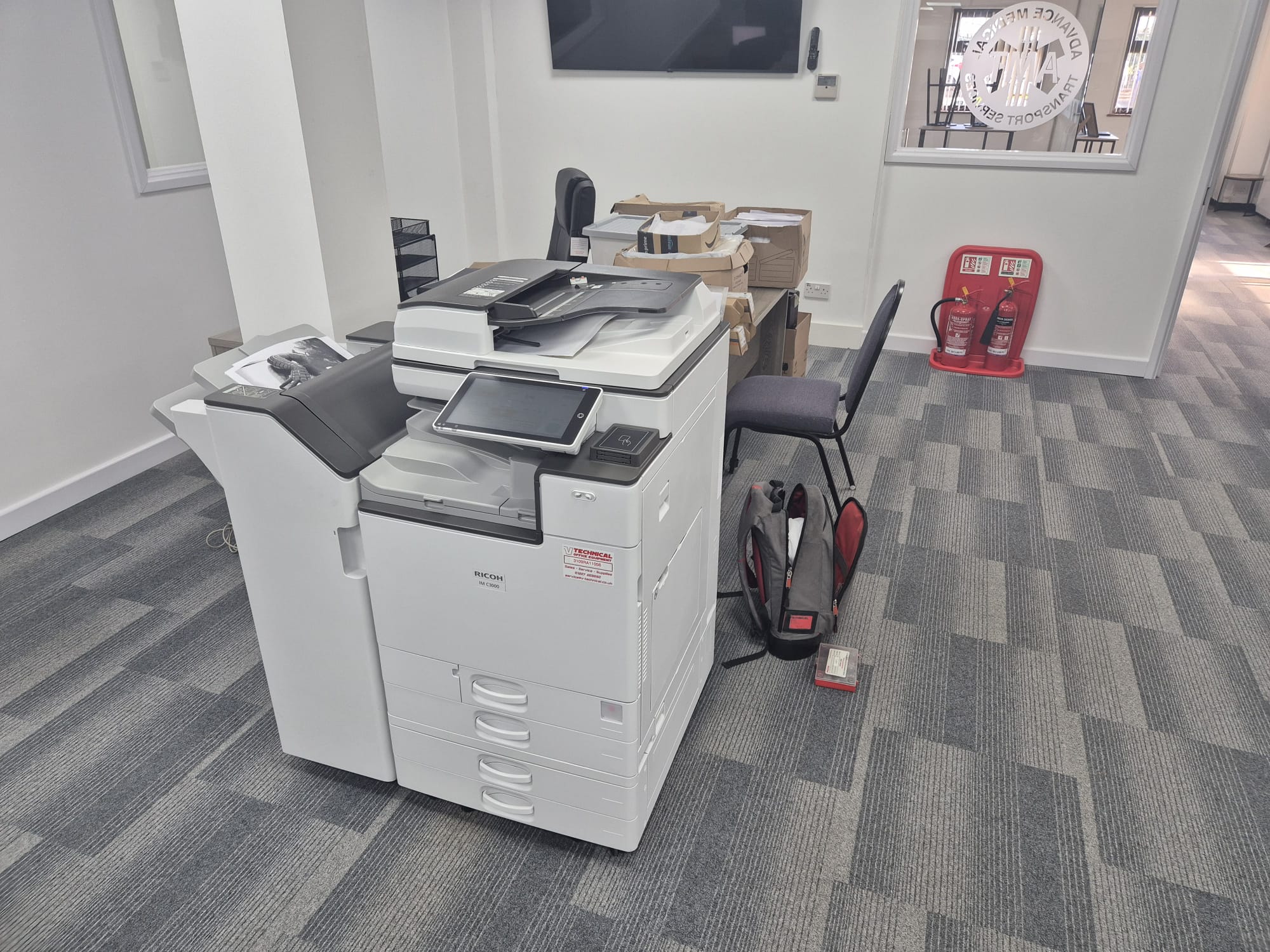
For organisations in Dover, Photocopier Installation Services In Dover should do more than place a machine in a convenient corner. A properly planned installation gives your team reliable printing from the first working day, protects your network and avoids disruption to teaching, administration or customer-facing work. It also ensures the device is configured around how your people actually print, scan and share documents.
A new or refurbished photocopier is a significant operational tool. Whether you need a compact printer for a small office or a high-volume multifunctional device for a busy school, installation affects its speed, security and day-to-day usability. Planning the location, network access, paper handling and user permissions before delivery makes the change far smoother.
Why Photocopier Installation Services In Dover Matter
Many issues associated with a new copier are not faults with the equipment; they are avoidable set-up problems. Weak Wi-Fi coverage, insufficient space for trays and servicing, incorrect scan destinations, or drivers installed inconsistently across computers can all slow staff down. A professional installation addresses these practical details before they become repeated support requests.
Placement deserves particular attention. The machine needs a stable, level surface, sensible access to power and enough clearance for doors, paper cassettes and engineer access. It should sit where users can collect documents easily without creating congestion or exposing confidential pages. For shared devices, secure print release can help prevent sensitive information being left on an output tray.
What Photocopier Installation Services In Dover Should Include
A thorough visit begins by confirming the device specification and checking that the proposed position is suitable. The installer should connect the photocopier, load and test paper settings, configure print drivers, and set up scanning to appropriate email addresses or network folders. Test prints and scans should be completed with real user devices, rather than relying on a basic power-on check.
Choosing Photocopier Installation Services In Dover also means considering security from the outset. Administrator passwords should be changed, unnecessary features disabled and access controls agreed with the person responsible for IT. Staff should understand how to use secure printing, scan documents correctly and replace consumables without damaging the machine. A short, focused handover is often more valuable than a lengthy technical demonstration.
Preparing Your Site for Photocopier Installation Services In Dover
Before delivery, identify the main users, the volume and type of documents they produce, and any specialist requirements such as A3 printing, stapling or booklet finishing. Let the installer know whether the device will be wired to the network or connected through Wi-Fi. Wired connections are often preferable for busy shared machines because they can provide a more consistent connection, but the best approach depends on the site.
It is also useful to nominate one member of staff as the main contact. They can confirm network details, approve default settings and receive basic training. Agree practical preferences in advance, including black-and-white versus colour defaults, duplex printing, scan file formats and address book entries. These small choices can reduce paper use, control costs and make the device simpler for everyone.
Workplace equipment must be suitable and maintained for safe use. The Health and Safety Executive explains that the Provision and Use of Work Equipment Regulations 1998 (PUWER) require work equipment to be suitable, maintained and used by people who have received adequate information and instruction. For a photocopier, that supports sensible positioning, safe cable routing and clear user guidance.
Long-Term Value Beyond the Initial Set-Up
Installation is the beginning of the relationship with your equipment, not the end. Print needs change as teams grow, software is updated and usage patterns develop. Ongoing maintenance can keep image quality consistent, reduce unexpected downtime and identify worn parts before they interrupt work. It also gives users a clear route for advice if a scanning workflow or print setting needs to change.
V Technical can supply new and refurbished photocopiers and printers, with flexible rental options for organisations that need short- or longer-term arrangements. Refurbished devices are selected and prepared in its own workshop, providing a practical option for customers who want dependable equipment while considering environmental impact.
Frequently Asked Questions
How long does installation usually take?
Most standard installations can be completed within a visit, provided the location, power supply and network details are ready. More complex scanning, access-control or multi-computer configurations may take longer and should be planned in advance.
Can an existing photocopier be moved to another room?
Yes, but it should be moved carefully and re-tested after relocation. Changes to network cabling, Wi-Fi coverage, power access and paper settings may be needed, especially if the device is used by a different team.
Will staff receive training?
A useful handover covers everyday tasks such as copying, scanning, secure print release, clearing minor paper jams and ordering consumables. Training can be tailored to the features your staff will use most often.
For dependable Photocopier Installation Services In Dover, V Technical can help you select, install and maintain equipment that suits your organisation, with practical support available after the machine is in place.